If you’ve had a compliance audit, renewed your cyber insurance, or dealt with an incident within the last two years, you’ve most likely been told you need a SIEM. They’re not completely wrong. In security, a SIEM is a powerful tool, eventually. The challenge is that many organizations deploy one before they have the necessary infrastructure in place, resulting in an expensive system that generates alerts no one can investigate.
This article explains what a SIEM needs to function properly, answers the question of whether Nagios is a SIEM, and provides a simple way to determine where your team stands on the security maturity curve, and what to build first.
What A SIEM Actually Is and What It Requires
A Security Information and Event Management system collects log and event data from across your environment, automatically correlates it to reveal patterns no single source would, applies behavioral analytics, and generates prioritized alerts. When implemented correctly, it detects the kind of multi-stage attack that manifests as a failed login on one server, a service crash on another, and an unusual outbound connection three hours later, none of which looks alarming in isolation.
That has real value. The catch is what it takes to get there.
For a SIEM to correlate information, it needs clean, centralized data. Most deployments produce thousands of alerts daily out of the box, and most of them are noise, so it requires constant tuning and customization. The SANS 2025 SOC Survey, found that 42% of SOCs use a six-figure security platform as a compliance log archive, ingesting data into a SIEM without a retrieval or management plan. Per D3 Security (citing Vectra AI 2026 data), 63% of alerts go uninvestigated; the average SOC receives over 4,400 alerts daily, while a single analyst can investigate only 8 to 12 at full depth per shift.o 12 at full depth per shift.
Deployment timelines compound the problem. According to Rapid7, citing Panther Labs’ State of SIEM research, the average SIEM deployment takes six months before producing useful output, and 18–20% of deployments run longer than a year. Blumira documented a single Splunk deployment required eighteen months in total, including three and a half months for paid consultants to set up the detection module, configure hardware, and parse logs.
Staffing is usually the biggest hurdle for small IT teams. Foresite recommends a minimum of two full-time staff members to oversee a SIEM, and three for 24/7 on-call coverage. Yet Heimdal Security’s 2025 VikingCloud study found that 74% of SMB owners either handle cybersecurity on their own or depend on friends or family members who lack the necessary expertise. Digital Ocean’s 2022-2023 industry survey found that 38% of SMBs have no dedicated cybersecurity staff at all, while 42% have just one person in charge.
On cost: Microsoft Sentinel runs $2.96 to $5.20 per GB ingested depending on commitment tier (per Microsoft’s official pricing page). Splunk Enterprise Security runs $8,100 to $24,000 per year for 5 to 20 GB per day of indexing volume at the small-deployment end (per TechTarget’s product overview). Total cost of ownership is typically double the license figure once infrastructure and staffing are counted.
A SIEM deployed without operational capacity doesn’t improve security. It creates a false sense of safety and a backlog of open alerts.
Is Nagios A SIEM?
Nagios solutions occupies a foundational layer of the security stack, distinct from a SIEM. Nagios XI, Nagios Log Server, and Nagios Network Analyzer deliver the visibility layer that a SIEM sits on top of within the security maturity curve: centralized log collection, infrastructure monitoring with security-relevant alerting, and network traffic flow analysis. These are the inputs a SIEM requires to function.
What Nagios doesn’t do is the work that defines SIEM-class tools: automated cross-source event correlation, behavioral analytics, and threat intelligence enrichment. That’s by design. When a SIEM receives data from an environment lacking infrastructure monitoring, centralized logging, and network traffic visibility, it correlates against incomplete, unvalidated data, which is why so many deployments stall in tuning cycles.
This distinction directly affects the ROI of any SIEM deployment. Organizations that establish a solid visibility foundation get usable data into their SIEM from day one. Organizations that don’t typically spend months chasing clean inputs because the underlying data is inconsistent, incomplete, or simply missing.
What Most Small IT Teams Actually Have
Before deciding whether you need a SIEM, it’s worth being honest about where most small environments actually sit.
Most organizations under 1,000 employees took on security responsibilities through audits, cyber insurance requirements, and incident response obligations, not as part of a planned program with dedicated resources. The team is one or two people. The infrastructure exists. The logs exist. But they’re scattered.
Windows Event Logs sit on individual machines. Syslog from firewalls and switches is routed somewhere, possibly to a text file on the firewall, possibly nowhere. Application logs live on the servers running those applications. Reviewing what happened after an alert means logging into each system separately, manually pulling logs, and trying to reconstruct a timeline across three or four interfaces with no shared format or timestamp reference.
Network traffic is visible at the device level, but there’s no flow analysis to reveal what’s actually moving across the environment. Infrastructure monitoring may exist for uptime checks (is this device up or down) but isn’t configured to detect security-relevant events such as unauthorized device discovery, service crashes on domain controllers, or CPU spikes at 2 a.m.
This isn’t the IT team’s failure. It reflects how security responsibilities evolved.
For more on how Nagios supports cybersecurity in this environment, see Supporting Cybersecurity with Nagios Monitoring Solutions.
What Is a Visibility Foundation, And Why It Comes Before A SIEM?
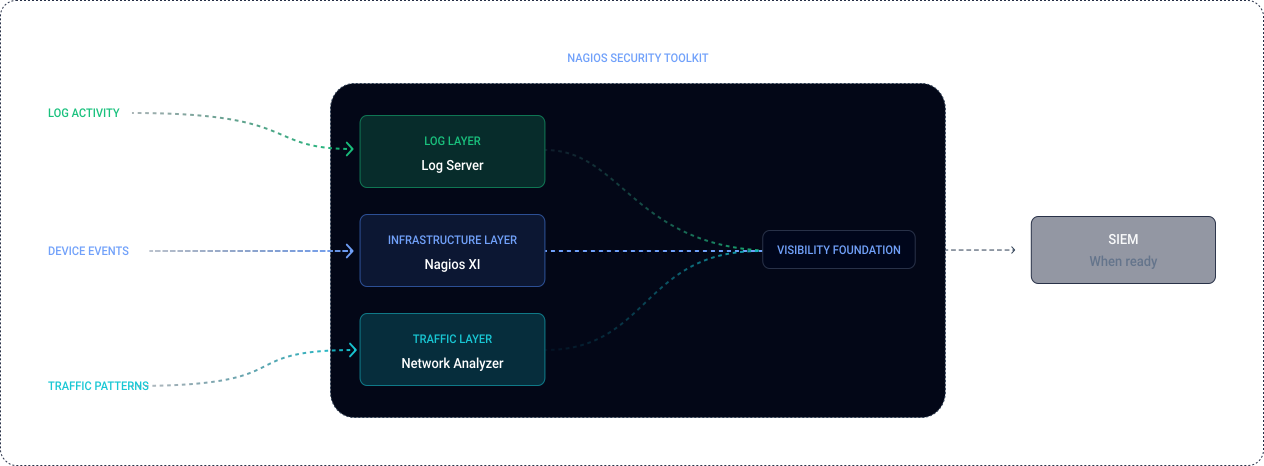
A visibility foundation is the infrastructure layer that gives your team the data they need to understand what’s happening in your environment. It has three components, each corresponding to a particular Nagios tool.
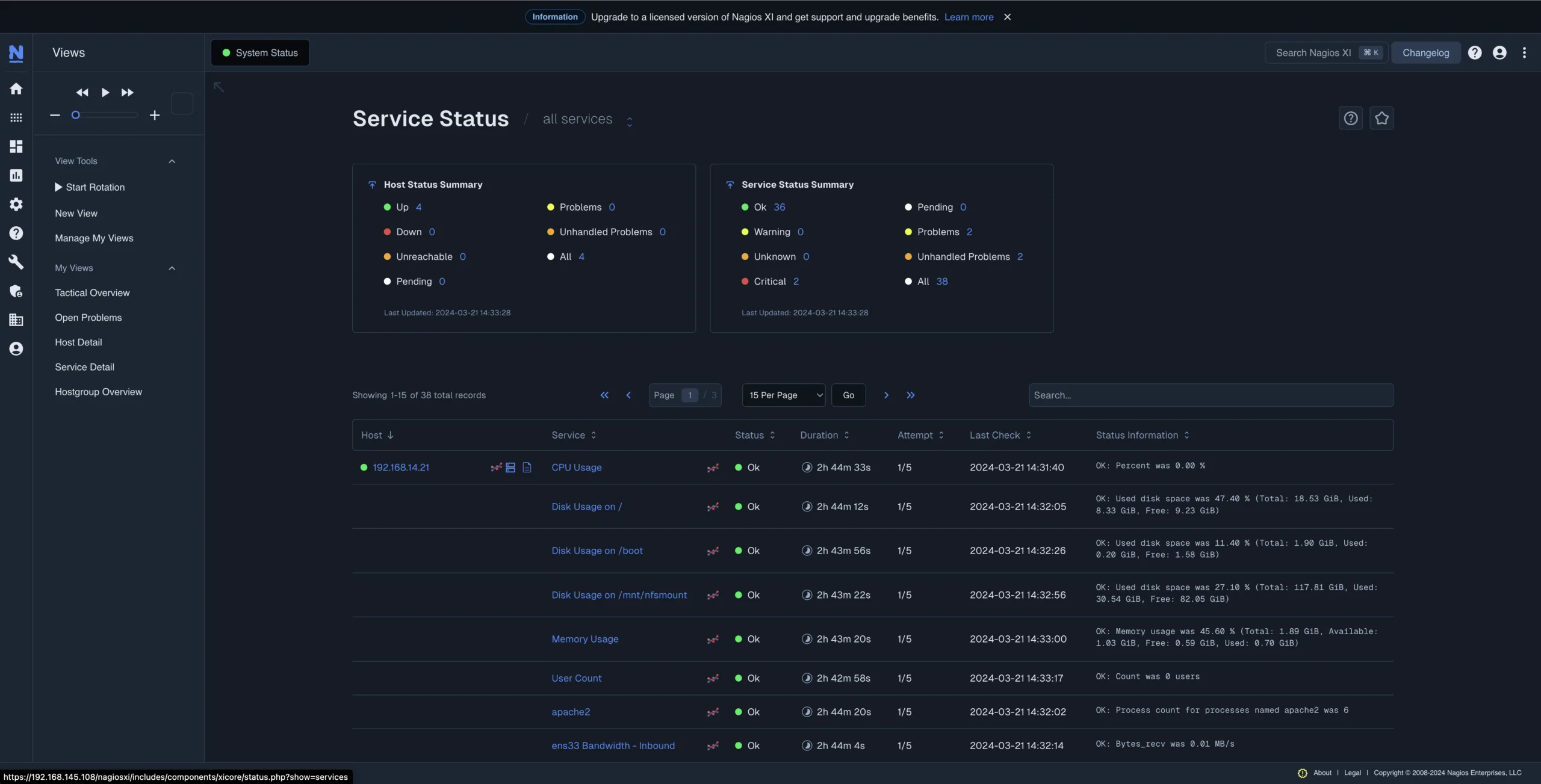
Infrastructure Monitoring
Device and service state monitoring that surfaces unauthorized devices as they appear on the network, unexpected service crashes on domain controllers and critical servers, and resource anomalies (CPU spikes, disk I/O patterns, interface changes) worth investigating before they become incidents. CIS Controls v8.1 Control 13 (Network Monitoring and Defense), establishes network traffic analysis and device monitoring as a distinct maturity practice alongside log management.
Nagios XI provides this layer. Beyond uptime checks, its Nmap/SNMP-based discovery surfaces new devices on the network, monitors service states continuously, and alerts on threshold breaches across CPU, memory, disk, and network interface metrics.
Centralized Log Collection
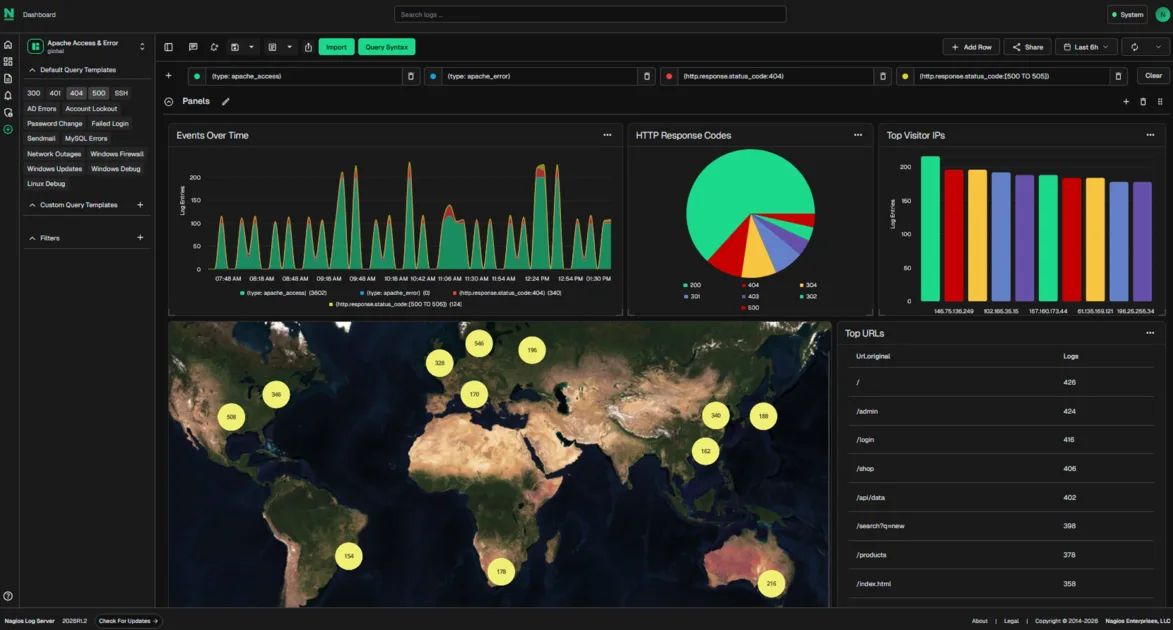
Windows Event Logs, syslog from firewalls, switches, and servers, and application logs are combined into a single searchable location, with alert rules for critical events such as failed login surges, privilege escalation attempts, and service start/stop anomalies. Without this, answering “what changed on this server between 11 PM and 2 AM?” means logging into each machine separately and grepping through logs with no shared search interface.
This isn’t a SIEM workaround. It’s a recognized security maturity step in its own right. The NIST Cybersecurity Framework 2.0 (February 2024) establishes continuous monitoring under the DETECT function, with subcategory DE.CM-01 covering monitoring of network and service status for undesirable occurrences. CIS Controls v8.1 Control 8 (Audit Management), puts it more directly: “Collect, alert, review, and retain audit logs of events that could help detect, understand, or recover from an attack.” CIS defines a SIEM as one viable implementation of Control 8, not the only one, and not the starting point for smaller organizations.
Nagios Log Server provides this layer. It centralizes syslog from servers, firewalls, and network devices into one searchable repository, with built-in alert rules for failed login detection, privilege changes, and service events. Logs are retained without per-gigabyte fees
Network Traffic Visibility
NetFlow and sFlow analysis showing what’s moving across your network, where it’s going, and what falls outside normal patterns. Lateral movement between internal hosts. Unusual surges in outbound traffic. Protocol usage on segments where it doesn’t belong. The CISA Cybersecurity Performance Goals 2.0 (December 2025), explicitly written for smaller organizations, includes network traffic monitoring as part of foundational cybersecurity practice.
Nagios Network Analyzer provides this layer. It collects NetFlow, sFlow, J-Flow, and IPFIX data and integrates with Suricata for signature-based detection on captured traffic, Wireshark for packet inspection, and Nmap for scheduled network discovery.
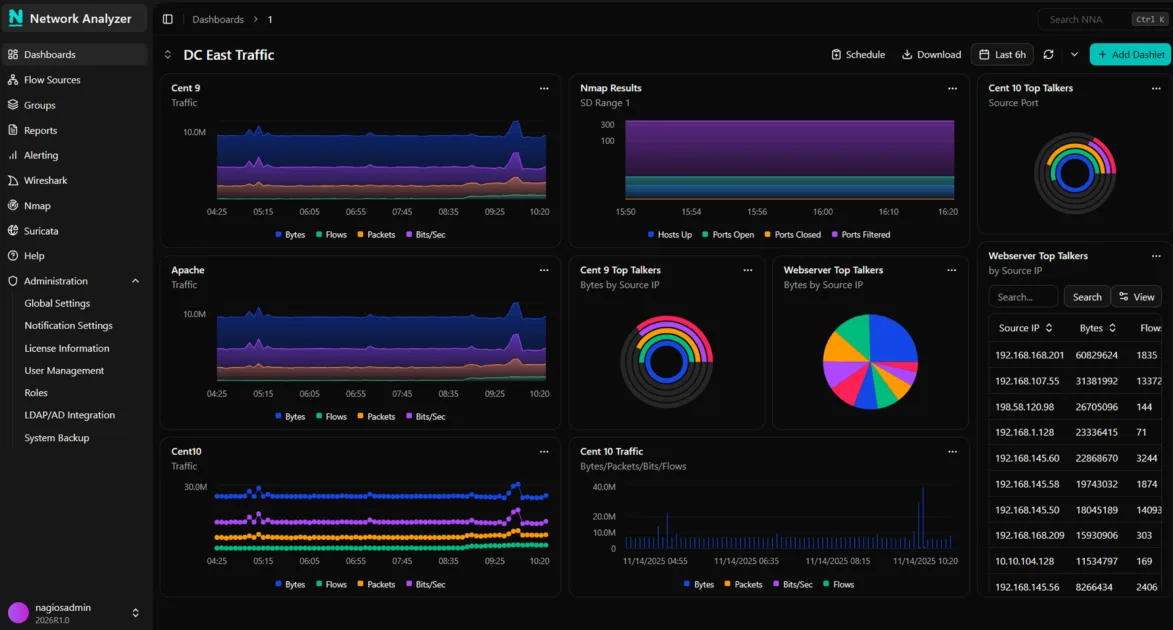
Together, these three layers give a SIEM something worth correlating. Without them, you’re back in the “accidental archive” territory SANS describes, paying for an expensive compliance log bucket.
For more on how these tools interact, read: Take Control of Your Data Security and SIEM Systems.
Where Most Small IT Teams Sit On The Security Maturity Curve
Security maturity progresses in distinct levels. Most organizations operate on one of three.
Stage 1: Basic Uptime Monitoring
You know whether a device is online or offline. You don’t have centralized logs. You don’t have visibility into network traffic. Security incidents are identified when users report concerns or when an auditor requests evidence you don’t have. A significant share of SMBs under 500 employees currently sit here.
Stage 2: Visibility Foundation
Logs are centralized and searchable. Infrastructure monitoring identifies security-relevant device and service events. Network traffic flow analysis reveals what’s moving through the environment.
When auditors, cyber insurance renewals, or incident investigations ask the three questions that matter, your team can answer them:
- Is anything unusual happening on the network?
- What happened on a server following an alert?
- Do we have sufficient log data to meet a compliance request?
This is NIST CSF 2.0 DE.CM territory: continuous monitoring as a recognized fundamental practice.
CIS Controls provide the most precise maturity framing here.
- Implementation Group 1 (IG1): Basic safeguards, specifically tailored for small organizations with limited IT and cybersecurity awareness.
- Implementation Group 2 (IG2): Centralized log management (Safeguard 8.9) and network monitoring (Control 13). CIS frames these as the next step for growing organizations, not advanced enterprise capabilities.
- SIEM-specific functionality (automatic correlation, behavioral analytics) lives in IG2/IG3, assuming logging and monitoring infrastructure is already in place.
Stage 3: Full SIEM Operation
Automated cross-source event correlation. Behavioral analytics. Threat intelligence enrichment. A dedicated security analyst administers and tunes the system, responds to alerts, and continuously refines detection criteria. Annual costs for tooling alone start at $50,000 and can exceed $150,000 to $500,000 once staffing is added.
Most small and medium-sized IT teams are in Stage 1, trying to decide whether to jump to Stage 3. The answer is almost always Stage 2 first, not because a SIEM isn’t useful, but because a SIEM without Stage 2 infrastructure works with incomplete data and no operational capacity to act on what it surfaces.
Signs You Need a Visibility Foundation Before A SIEM
- Your logs sit on individual machines and get inspected manually after an incident. There’s no centralized place to search Windows Event Logs, syslog, and firewall logs together.
- You can’t answer “what was this device doing at 2 a.m. last Tuesday?” without logging into it directly.
- You have no network traffic flow analysis showing what’s happening in your environment.
- Your team is one or two people covering both infrastructure and security responsibilities.
- You were asked for log evidence in an audit and had to gather it manually from multiple systems.
If more than two of these apply, a SIEM won’t fix your immediate issue. A visibility foundation will.
Signs You’re Actually Ready for A SIEM
- You have a dedicated security analyst on staff, or are actively hiring one.
- You’re working under a compliance framework that explicitly requires automated cross-source event correlation, not just centralized logging.
- Your log volume and event rate are high enough that human review is impractical even with centralized collection.
- You already have centralized logging, infrastructure monitoring, and network traffic visibility in place.
- Your budget allows for $50,000+ in annual tooling costs, plus the people required to operate it.
If all five are true, a SIEM is the right next step, and the visibility foundation you’ve already built will accelerate deployment significantly. Your SIEM ingests clean, structured, contextualized data from day one rather than spending six to eighteen months in tuning cycles.
Where The Nagios Security Toolkit Fits
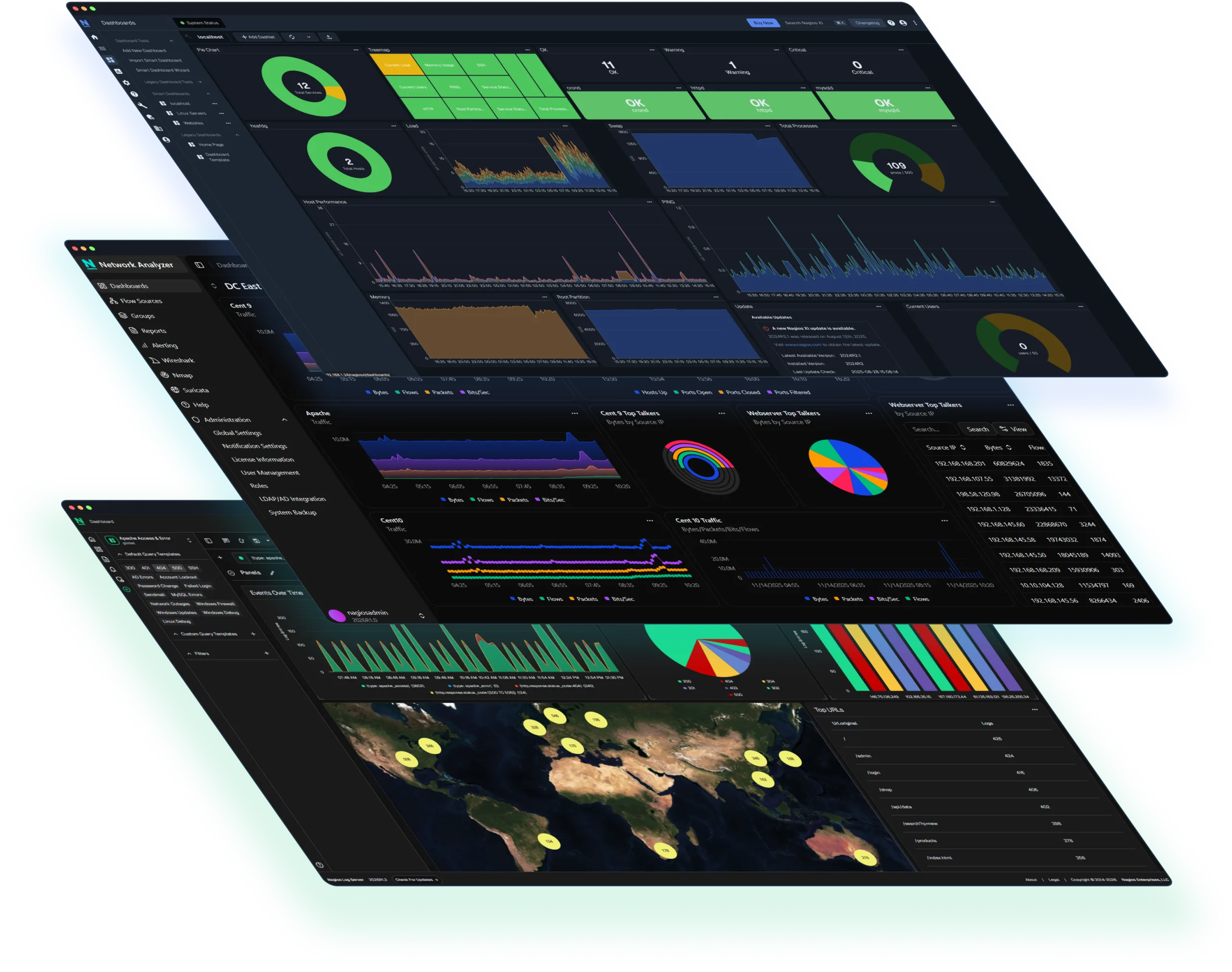
The Nagios Security Toolkit is the Stage 2 visibility foundation: centralized log collection, infrastructure monitoring with security-relevant alerting, and network traffic flow analysis. Each tool runs independently on your own hardware. Your data stays on your network. Licensing is perpetual and doesn’t scale against you as your device count grows.
It does not replace a SIEM. It builds the visibility layer that makes adopting one worthwhile when you’re ready, and in the meantime, it covers the logging, monitoring, and traffic visibility that auditors and cyber insurance carriers are asking about today.
Related Reading: